 By KENN Chai
 6 Powerful Features of Immersive Translate
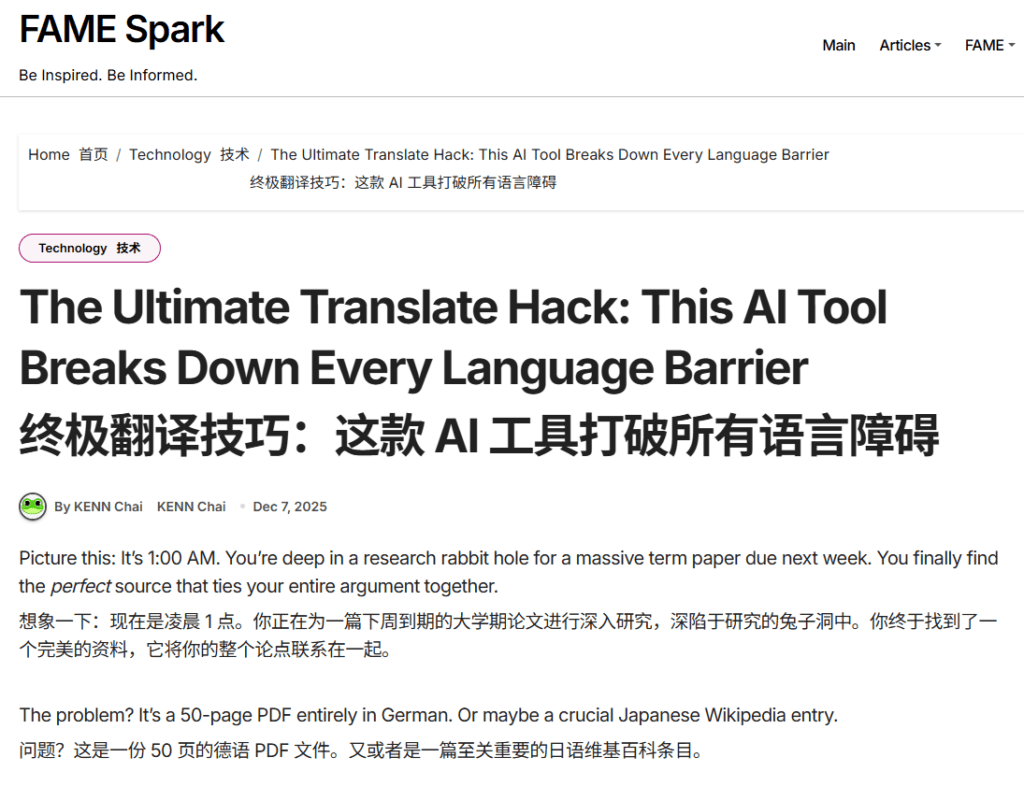
Picture this: It’s 1:00 AM. You’re deep in a research rabbit hole for a massive term paper due next week. You finally find the perfect source that ties your entire argument together.
The problem? It’s a 50-page PDF entirely in German. Or maybe a crucial Japanese Wikipedia entry.
We’ve all been there. The old solution was the “copy-paste nightmare”—tabbing back and forth to Google Translate, losing all the formatting, and ending up with a messy block of text that barely makes sense in context.
Forget that. There’s a much better way, and it’s frankly a total life-saver for anyone in academia. It’s called Immersive Translate, and if you don’t have this extension installed yet, you’re working harder than you need to.
Here’s the lowdown on this AI tool and why it’s about to become your favorite study hack.

What Actually is Immersive Translate?
Most translators just wipe out the original text on a webpage and replace it with English, which usually destroys the page layout and makes it impossible to cross-reference things.
Immersive Translate is different. It’s a browser extension (Chrome, Edge, Safari, Firefox) and mobile app that gives you a bilingual reading experience.
Instead of replacing the text, it inserts the translation right underneath or after each original paragraph. You see both languages simultaneously. This is huge because it keeps the context intact and lets you verify the translation if you know a bit of the language.
Why It’s Clutch for College Students
This isn’t just for casual browsing. It has features that seem specifically designed to make student life easier.
1. It Dominates PDFs and Research Materials 📄
This is the biggest win. Professors love assigning dense PDFs. Immersive Translate doesn’t just handle websites; you can upload entire PDF files or eBooks. It will translate the document while keeping the original formatting, charts, and graphs exactly where they belong. No more broken layouts when you’re trying to analyze data.
2. You Get to Pick Your AI “Brain” 🤖
Generic translators are okay for ordering coffee, but not great for academic-level nuances. Immersive Translate lets you choose which AI engine powers the translation.
You aren’t stuck with one option. You can switch between ChatGPT, DeepL (known for high accuracy), Gemini, and Microsoft Translator. If you need specialized terminology for a science paper, being able to switch to a more precise AI engine is a game-changer.
3. The Secret Weapon for Language Learners 📚
Are you taking French, Spanish, or Mandarin? Instead of just using a translator to “cheat,” this tool actually helps you learn. Because it shows the original text right above the translation, your brain starts making connections between the two naturally. It turns any foreign article into a study tool.
4. Real-Time Input for Group Chats & Subtitles 💬
College is increasingly global. If you’re working on a group project with international students, communication barriers can slow things down.
Immersive Translate has an insane feature where it translates what you type in real-time. You type in English, and it appears in the chat in your target language. It also works for live subtitles on Zoom, Teams, and Google Meet, so you never miss info during a lecture or group meeting.
The Verdict
Whether you are digging through foreign archives for a history paper, trying to understand a complex manga that hasn’t been officially translated yet, or just trying to pass Spanish 202, Immersive Translate is essential.
It’s intuitive, it works across your laptop and phone, and the core features are completely free. Stop wasting time copy-pasting and start actually understanding the content you need.
Visit Immersive Translate: https://immersivetranslate.com/en/